
CouponReach: New Look + GHL Customer Portal Integration & Connection Alerts
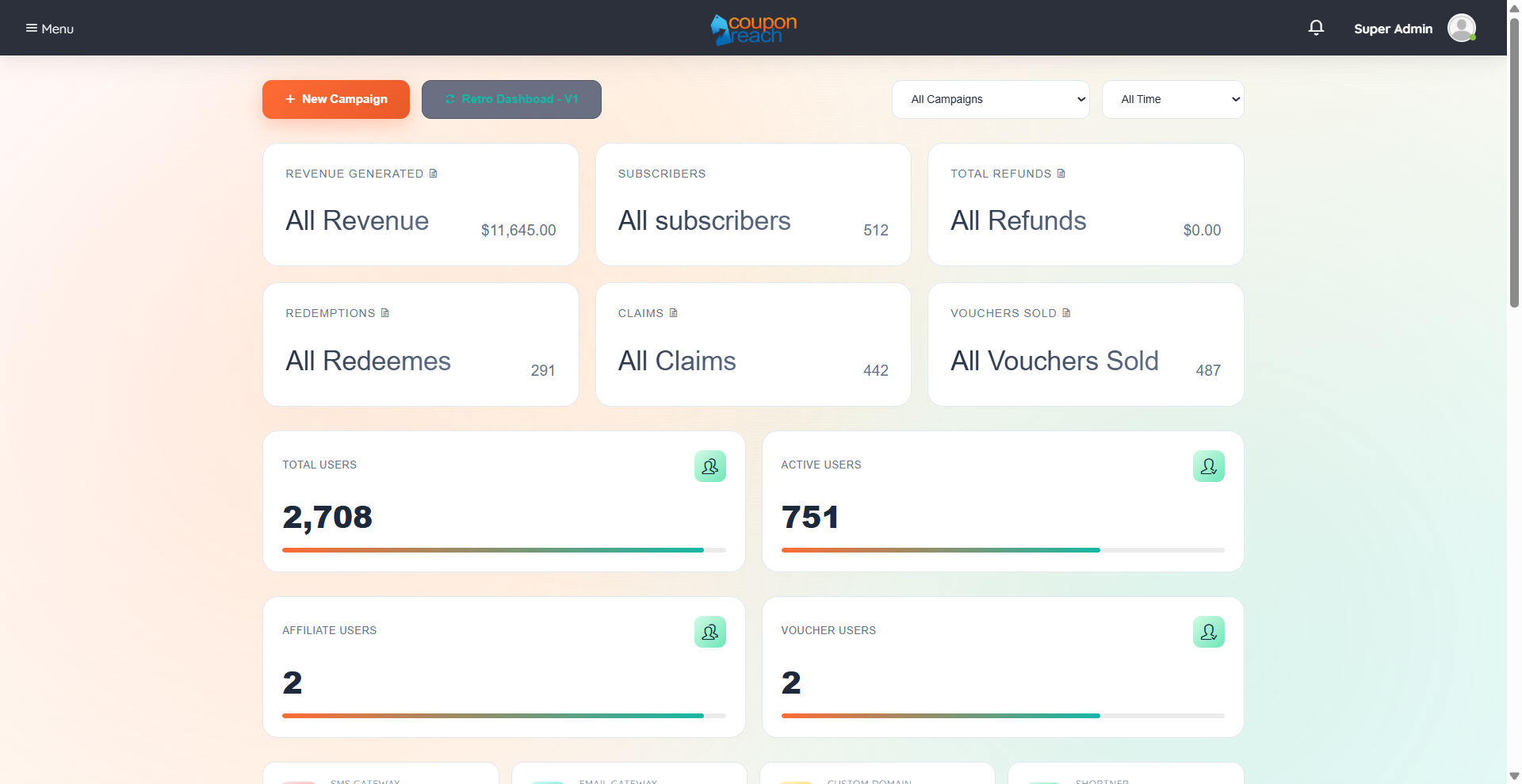
First things first -- CouponReach has a NEW LOOK! Check out the new layout.
We’ve released a new feature inside CouponReach, the GHL Customer Portal Link Integration, now available under the Campaign Properties Section of GHL Settings.
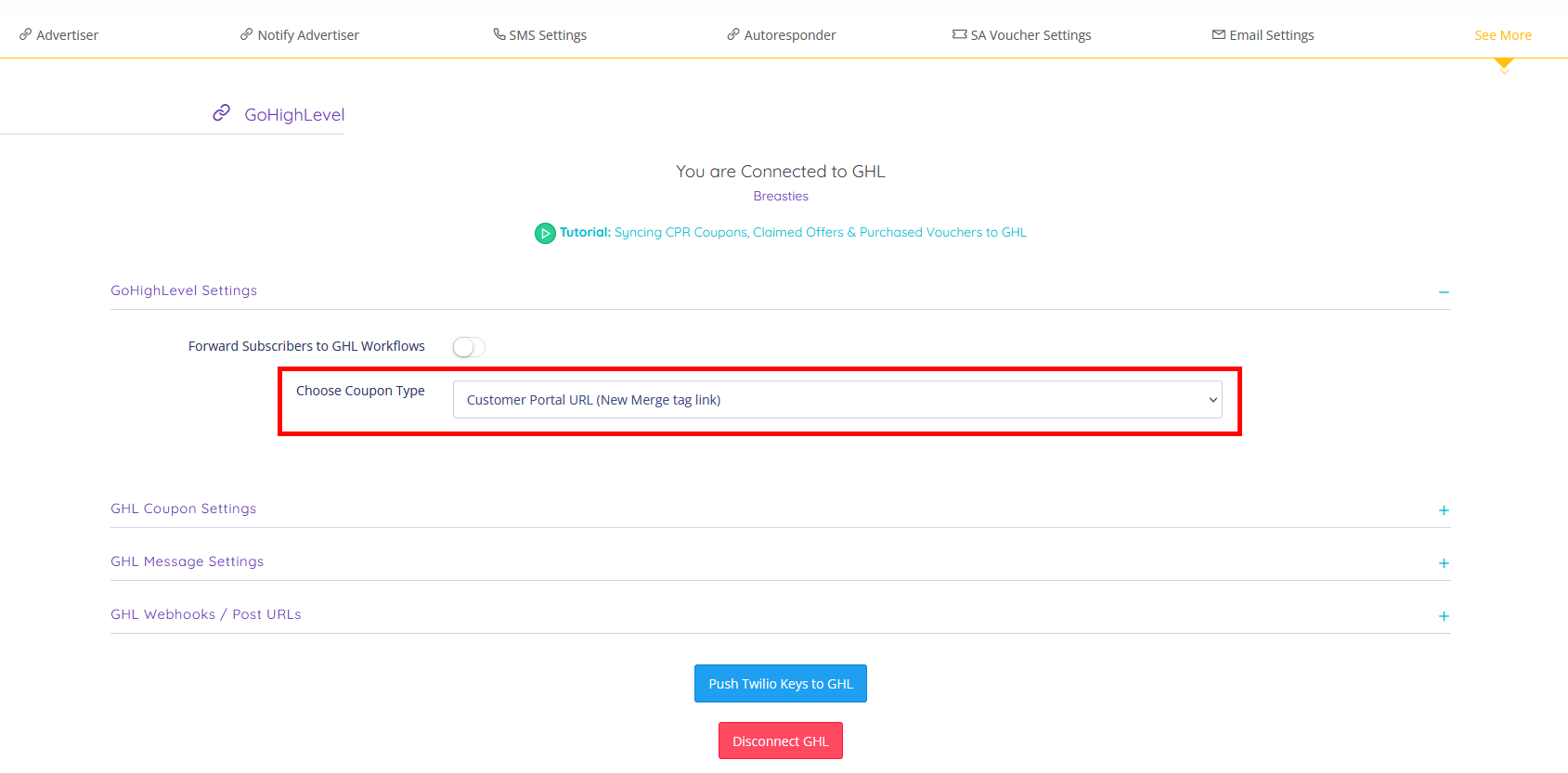
This update introduces a new Coupon Type option, allowing users to choose between the default behavior or a new merge tag link that connects to the customer portal experience.
Depending on the selection and user access, subscribers are routed to the appropriate claimed offer or voucher pages.
New Actions Available:
Select between Default Coupon Type or Customer Portal Merge Tag Link
Direct eligible subscribers to the Claimed Offers page with voucher redemption access
Provide access to Wallet, linking users to the Customer Portal
Automatically redirect non-portal users to the Claimed Voucher page
Prompt login when attempting actions that require Customer Portal access
This update makes it easier to manage subscriber experiences by dynamically routing users based on their Customer Portal access.
To check it out, go to Campaign → Properties → GoHighLevel → GHL Settings → Coupon Type Selection
We’ve also released a the GHL Connection Alert, now available under the GHL Integration Section.
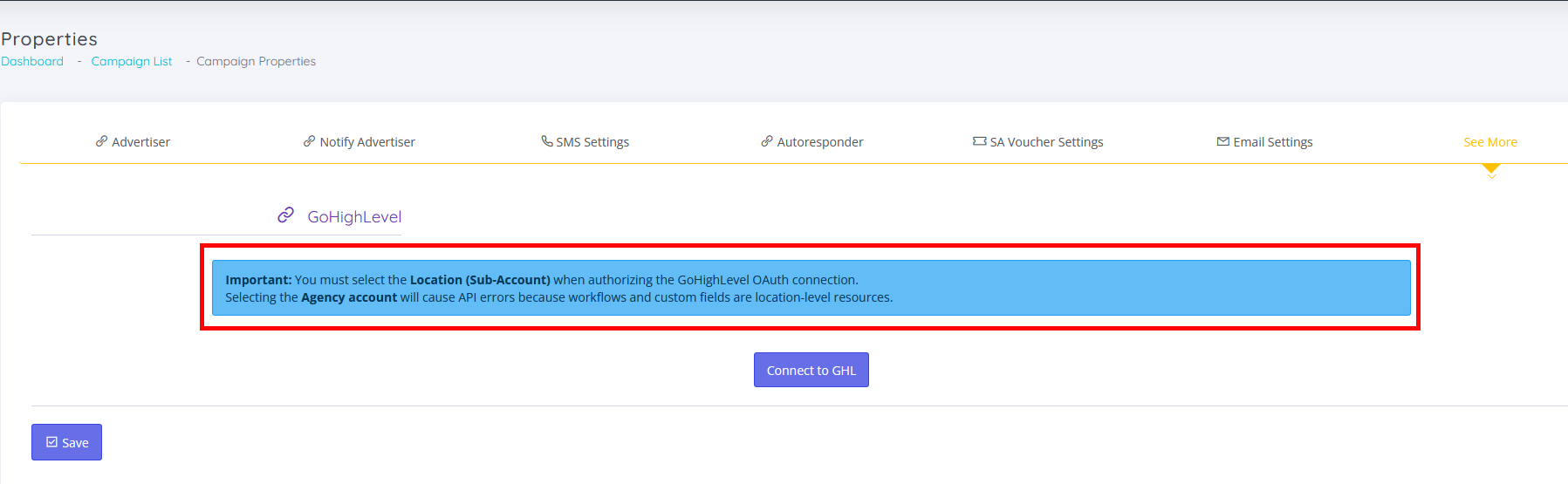
This update introduces system alerts to guide users in properly connecting their GHL account, helping prevent incorrect setup and integration issues.
New Actions Available:
View a default notice when no GHL connection is established
Receive guidance to connect using a subaccount
Get alerted when an Agency account is used instead of a subaccount
Identify when OAuth integration will not function with the current connection type
This update makes it easier to correctly configure your GHL connection and avoid integration errors.
To check it out, go to Campaign Properties → GoHighLevel Tab → Connection Setup
Interested in adding CouponReach
