
Introducing Ask AI: Your Built-In Assistant for GoHighLevel
Introducing Ask AI: Your Built-In Assistant for GoHighLevel
Stop juggling multiple tabs and tools for every small task in your CRM. GoHighLevel now has a built-in solution designed to keep you focused and productive right inside the platform.
Meet Ask AI, your integrated virtual assistant. It’s a centralized hub where you can handle a wide range of actions, from drafting content to setting up complex workflows, without ever leaving your dashboard.
This eliminates the constant back-and-forth that fragments your attention and slows you down. The core purpose of Ask AI is to bring context-aware assistance directly into your workspace.
It connects to your configured brand voice and account data, so the help you get is personalized and actionable.
Whether you need to quickly generate a social media post that sounds like your company or initiate the setup of a new client community, you start and finish the job in one place.
This seamless integration is the first step toward a more efficient workflow. Now, let’s explore exactly what this assistant can do for you.
What You Can Accomplish with Ask AI
Now that you know what Ask AI is, let's explore what it can actually do for you.
This assistant is designed to move beyond simple Q&A and become a true productivity partner within your GoHighLevel account.
Its most immediate power is creating content that actually sounds like your business.
By pulling from your configured Brand Voice settings, it generates social posts, emails, and ad copy with your unique tone, saving you from generic, robotic text.
Need to build engagement? You can instruct it to set up a new community, and it will guide you through the process step-by-step directly in the chat.
But Ask AI goes further. It can brainstorm campaign ideas, suggest blog topics, and answer strategic questions to spark your creativity.
Most impressively, with proper permissions, it can execute actions within the platform. This means you can ask it to update a contact record, reschedule an appointment, or pull a specific report, all through a simple conversation.
This combination of content creation, guided setup, and direct action handling streamlines your workflow significantly. Ready to put these capabilities to use?
The next step is learning how to start a conversation with your new assistant.
How to Start Using Ask AI: A Step-by-Step Guide
Follow these steps to get started:
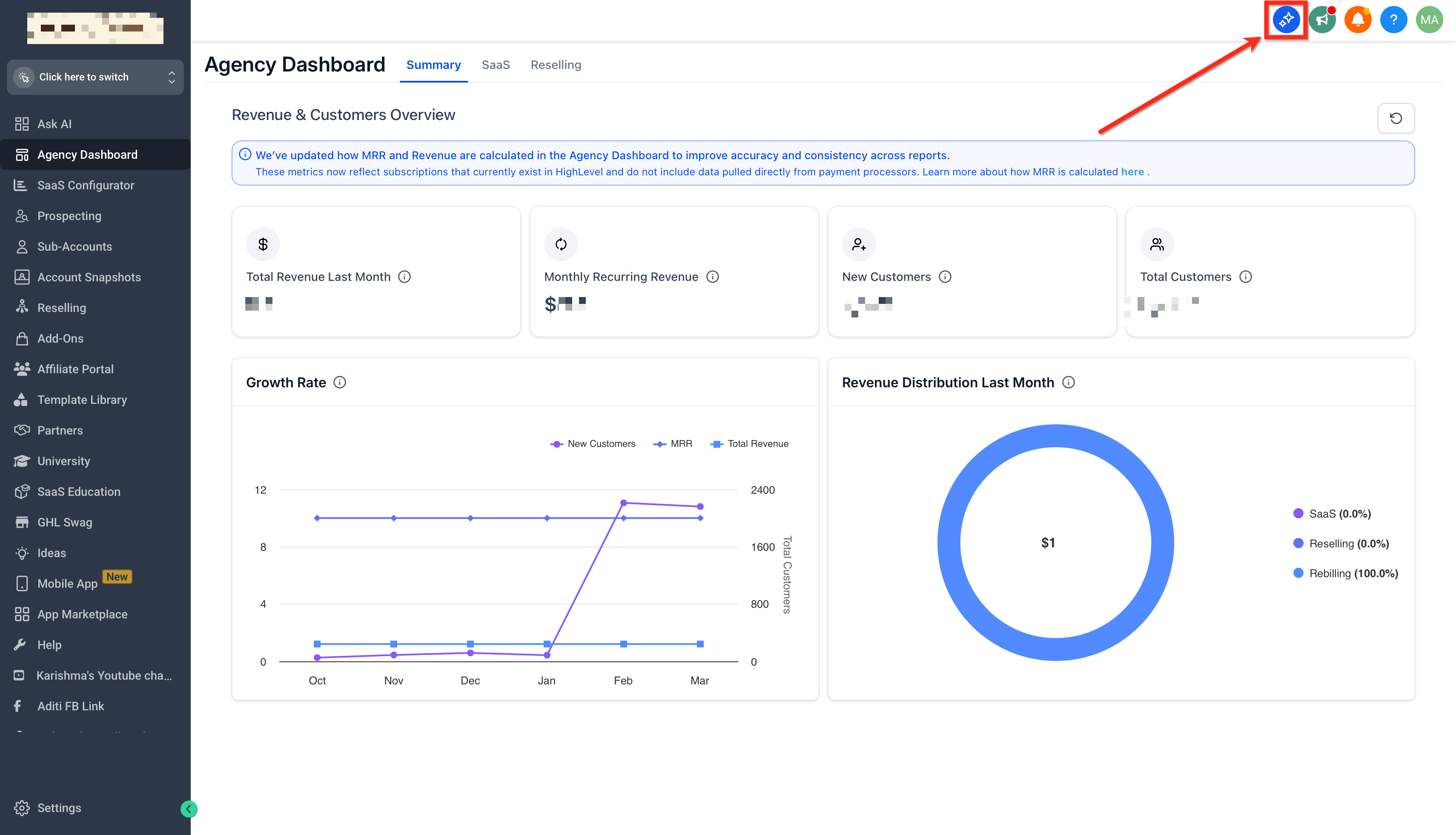
Click on the Ask AI Bot icon in the top navigation bar.
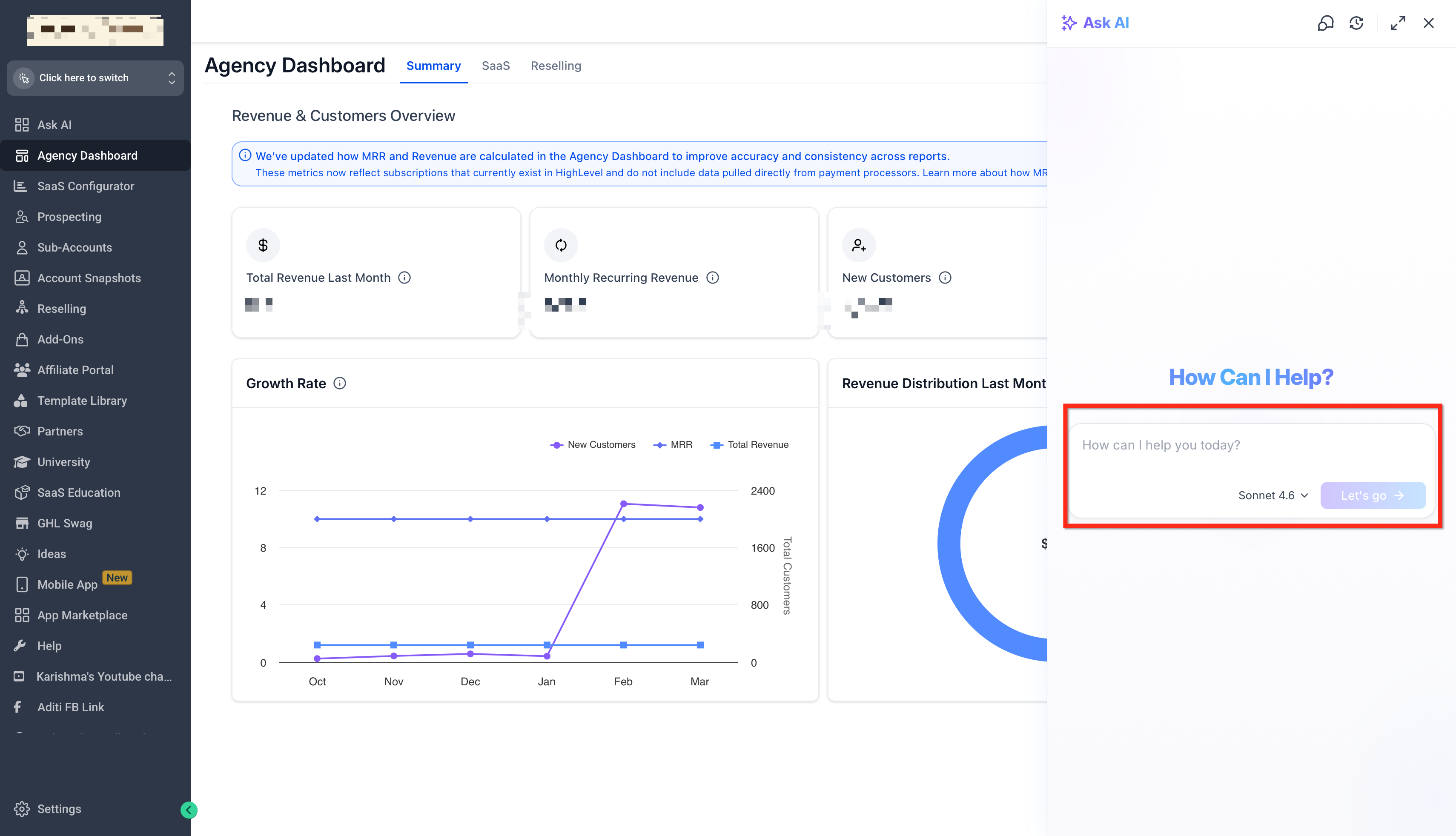
Type in what you need: content, a new community, ideas, or questions.
The bot will guide you or respond instantly with what you asked for.
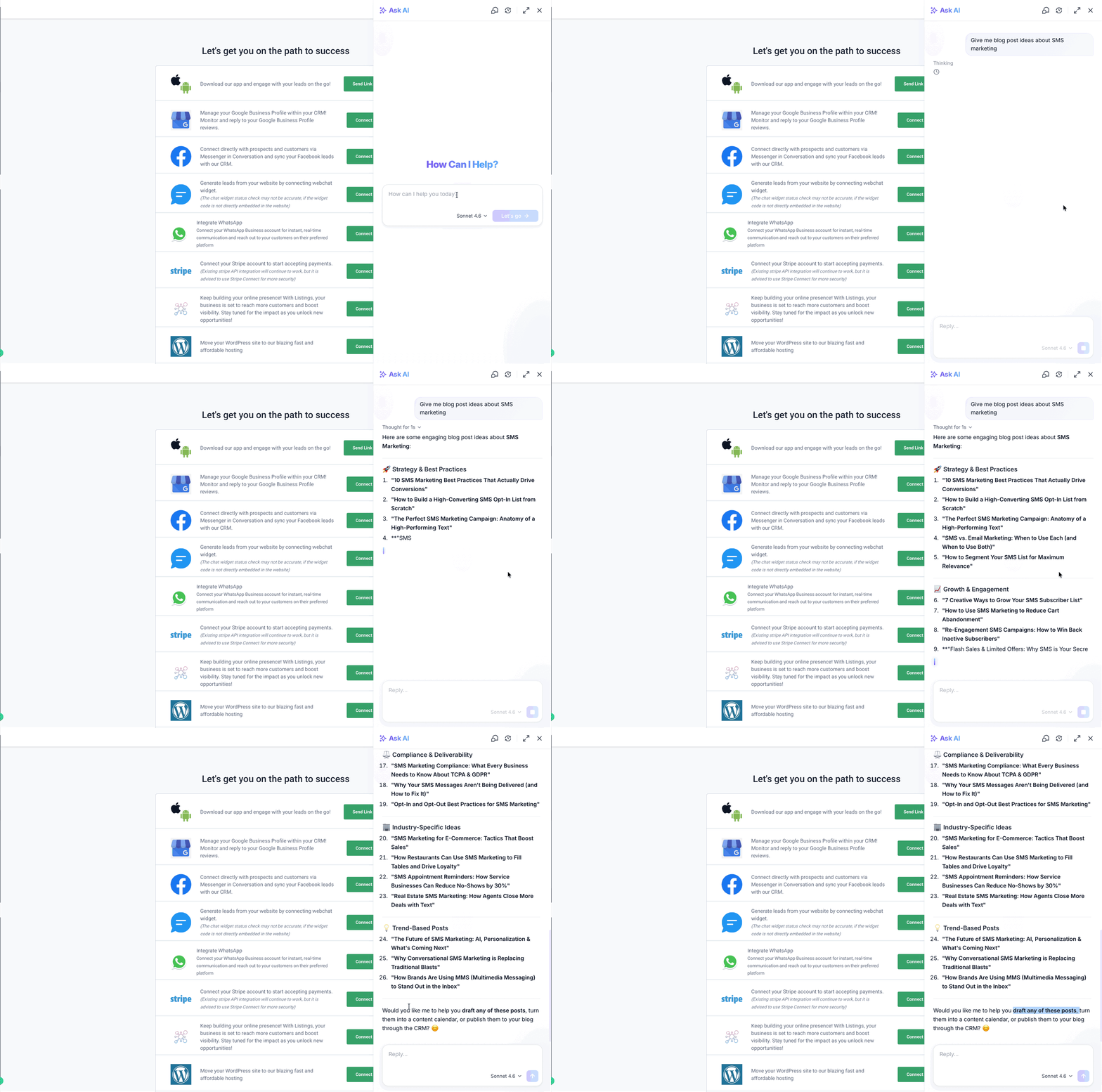
You can start with something like:“Give me blog post ideas about SMS marketing.”
“Write a Facebook ad post using my brand voice.”
“Help me set up a community for local business owners.”
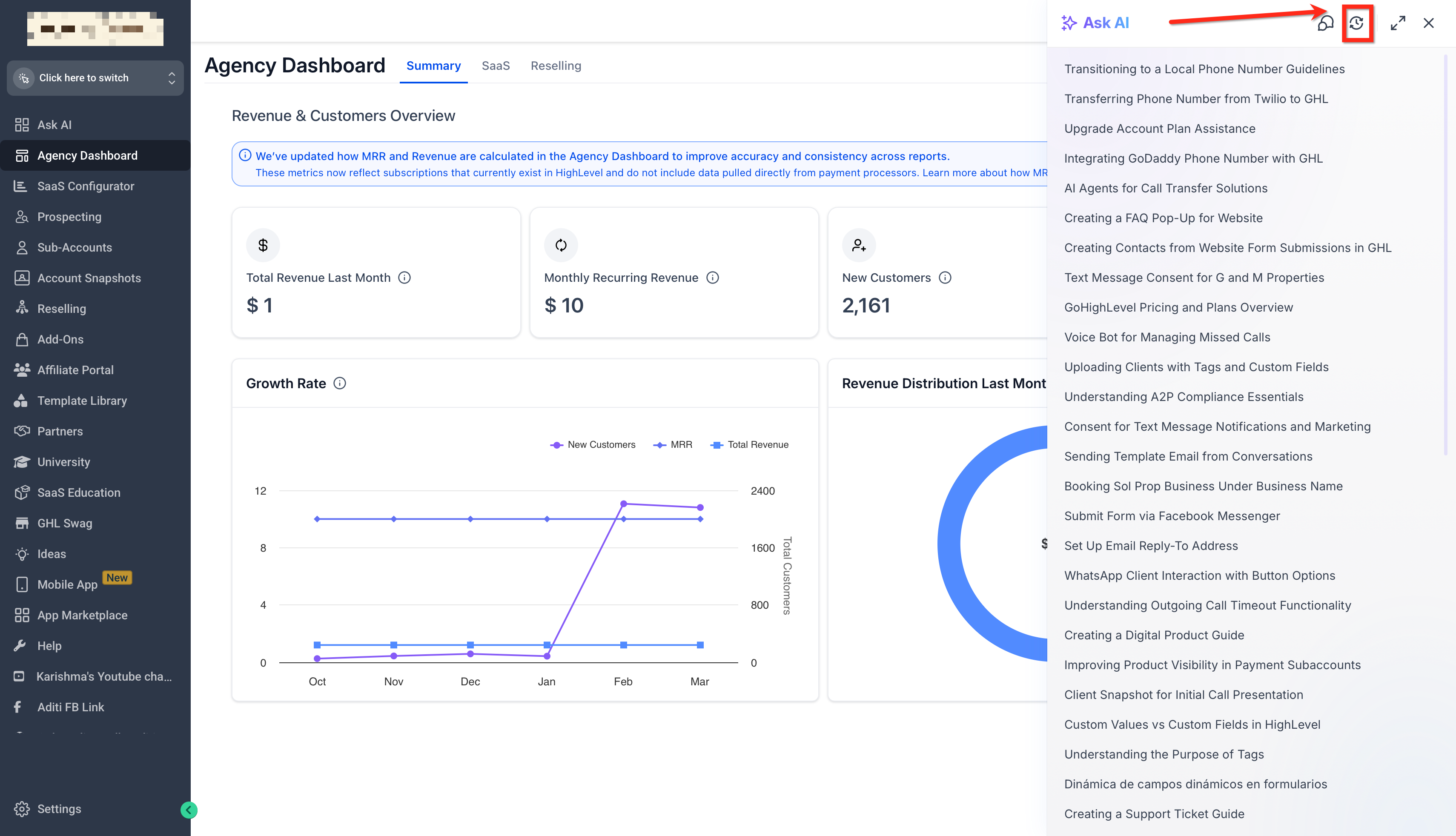
You can also view the chat history, and go back to older chats directly by toggle next to the full-screen toggle.
Practical Examples and Advanced Features
Now, let's see Ask AI in action with some real-world scenarios. These practical examples show how it moves from a helpful tool to an active participant in your workflow.
Imagine you need a last-minute social media post for a promotion. Instead of staring at a blank screen, you open Ask AI and type, "Create a social media post for our 20% Easter service discount.
" The assistant instantly generates a draft using your brand's configured voice, giving you a polished starting point you can edit and publish directly. For more advanced automation, you can build a Voice AI agent through conversation.
Try a prompt like, "Create a Voice AI agent that answers calls, collects the caller's name and reason, and transfers urgent requests." Ask AI will guide you through a few setup questions and then build the agent for you, complete with call routing logic.
A key upgrade for website management is improved list-based element updates. When you use Ask AI to edit one item in a FAQ section or pricing table, it now updates only that specific item.
This prevents the entire list from being accidentally rewritten, saving you from tedious reconstruction work. These examples illustrate how Ask AI is designed for tangible results, streamlining both creative tasks and technical builds directly within your platform.
Interested in adding Go High Level to your inventory?
