
Let Your Voice AI Book Appointments for You in HighLevel
One of the most powerful upgrades to HighLevel’s Voice AI agents is the ability for them to schedule appointments directly during a phone call.
Instead of sending someone a booking link or requiring manual follow-up, your AI can now offer available times, collect the information it needs, and confirm the appointment on the spot. This makes the experience smoother for the caller and saves your team a lot of time.
Let’s walk through what this feature does and how to set it up.
What Appointment Booking with Voice AI Actually Does
With appointment booking enabled, your Voice AI agent can interact with your calendar in real time during a call.
That means the AI can:
Check calendar availability
Offer open time slots
Collect missing information like email
Confirm the booking instantly
Everything happens inside the conversation—no extra forms or booking pages required.
For businesses handling inbound calls, this can dramatically reduce missed opportunities.
Why This Feature Is Useful
Here are a few reasons many teams are starting to use Voice AI for scheduling.
1. Book appointments while the lead is still engaged
Instead of asking someone to go book later, the AI can lock in a time while they’re already on the phone.
2. Keep your calendar accurate
The AI checks your calendar in real time and only offers available time slots, preventing double bookings.
3. Capture the information you need
If the system is missing details like an email address, the AI will ask for it before confirming the appointment.
4. Control how appointments are offered
You can decide:
How many days in advance the AI can book
How many time slots are offered
The gap between appointments
This keeps your team from getting overloaded.
How to Set Up Appointment Booking in a Voice AI Agent
Setting this up only takes a few steps.
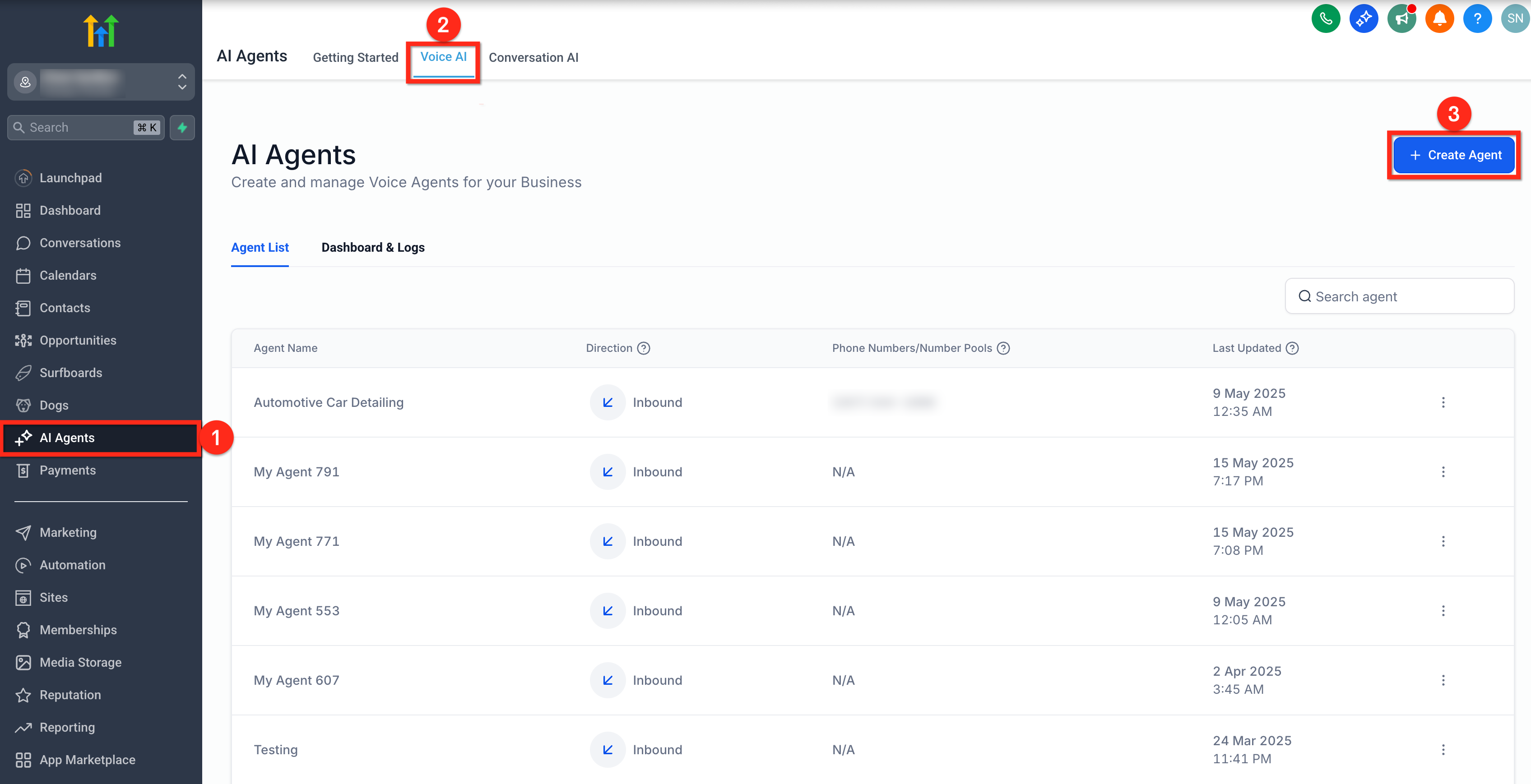
Step 1: Create or open a Voice AI agent
Inside your HighLevel sub-account:
Go to AI Agents
Click the Voice AI tab
Create a new agent or edit an existing one
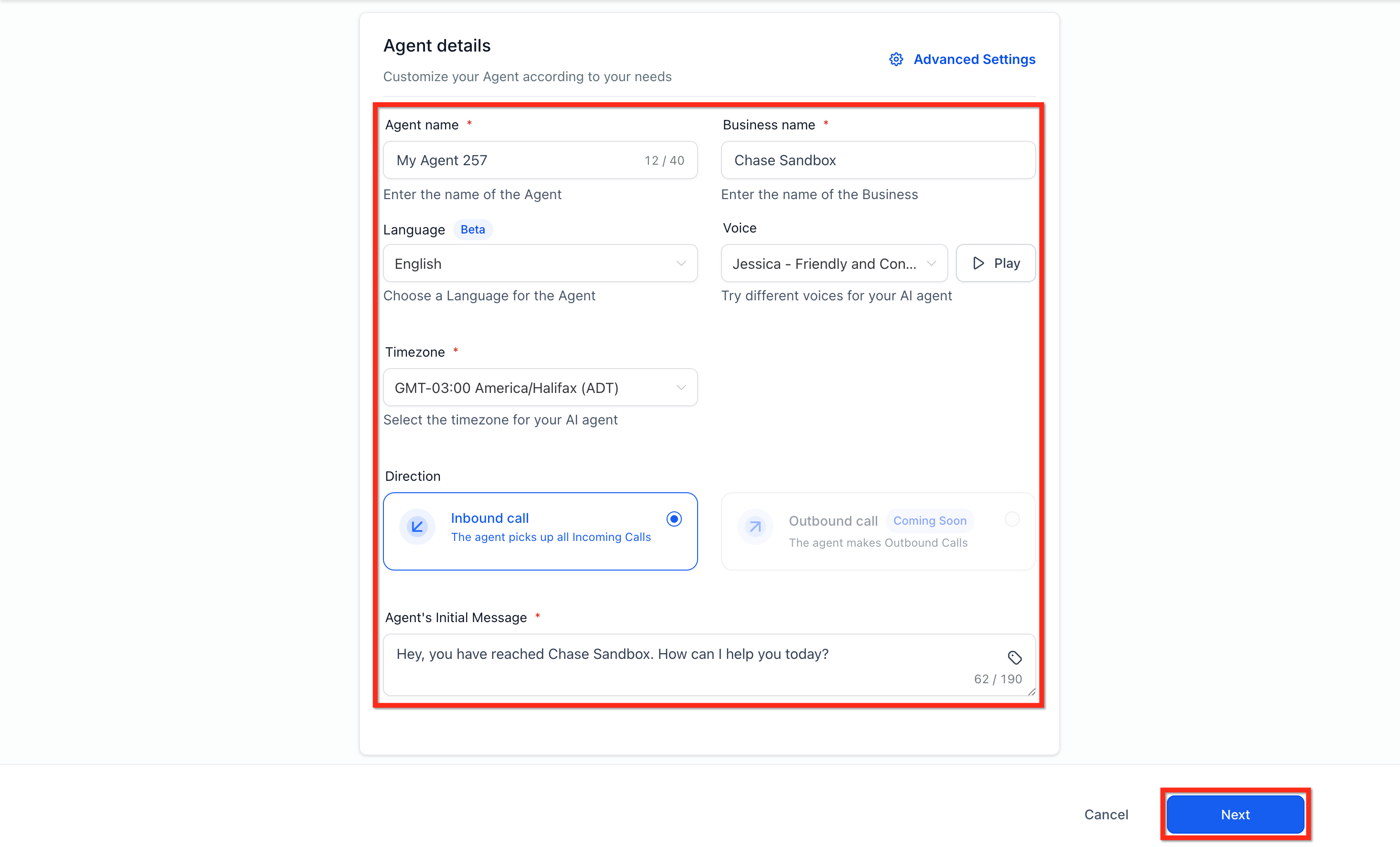
Step 2: Switch to Advanced Mode
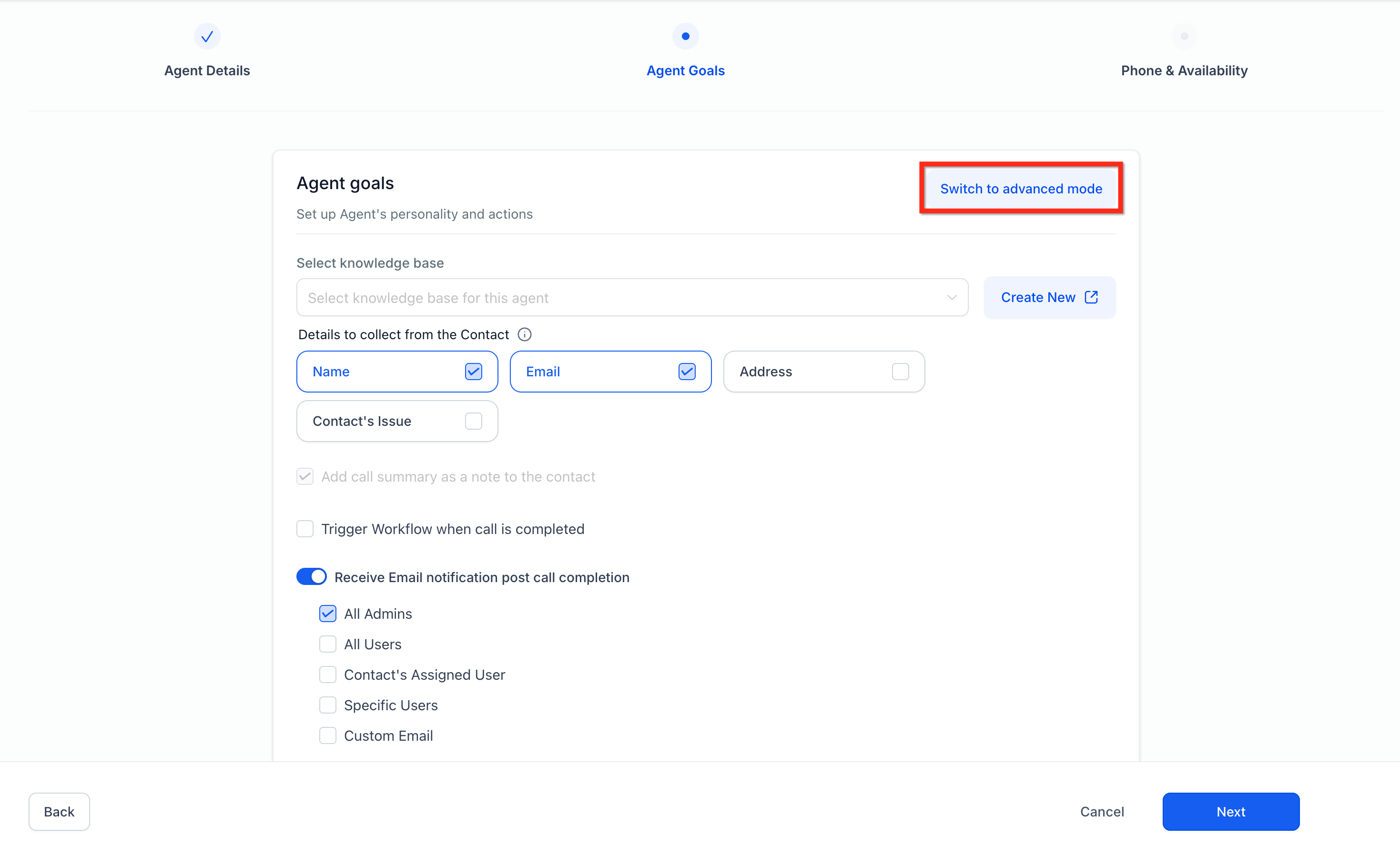
To use appointment actions, you’ll need to enable Advanced Mode in the agent settings.
This unlocks additional actions your AI can perform during calls.
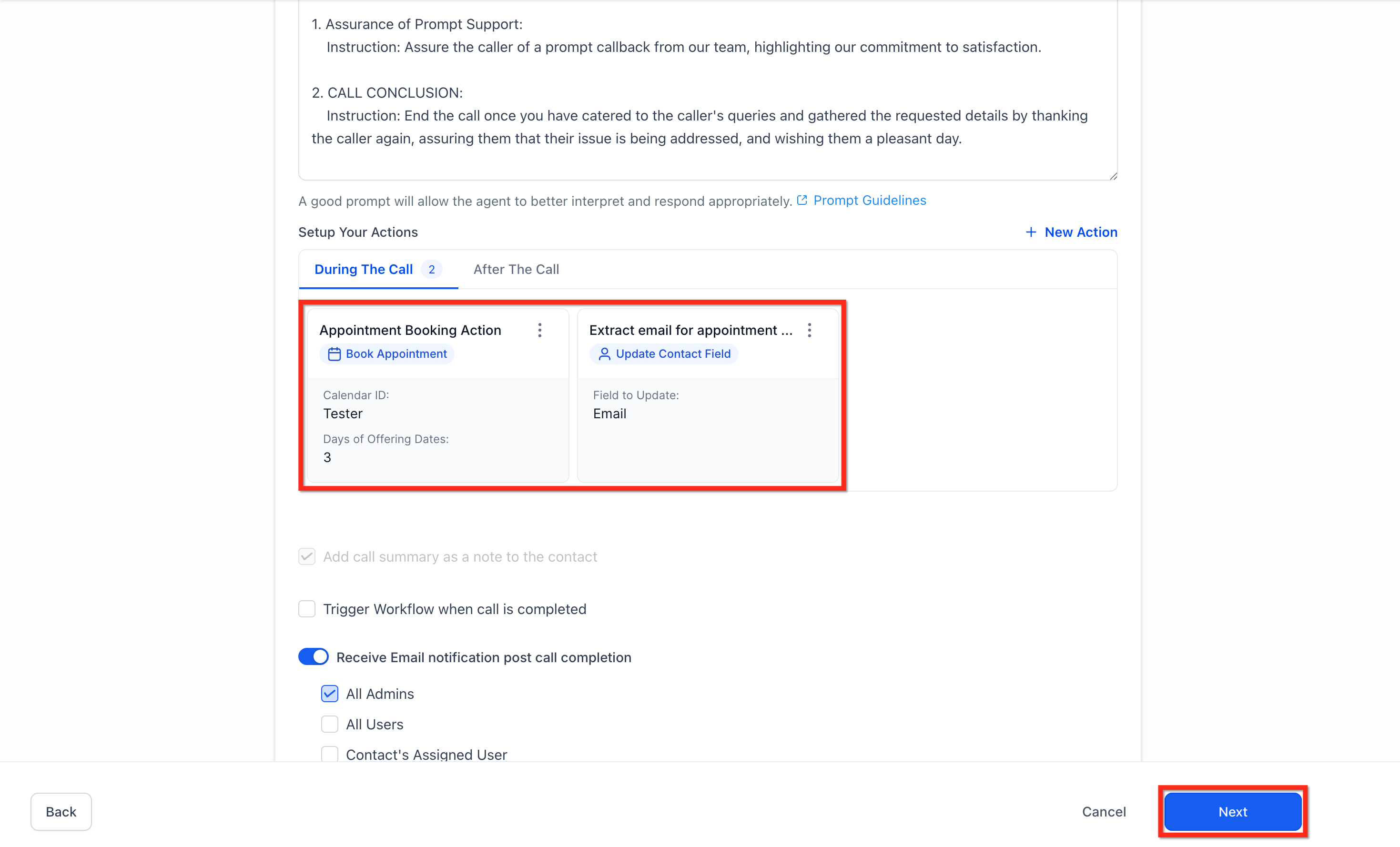
Step 3: Add the “Book Appointment” Action
Inside the Actions section:
Click New Action
Select Book Appointment
Now you can configure how the AI schedules meetings.

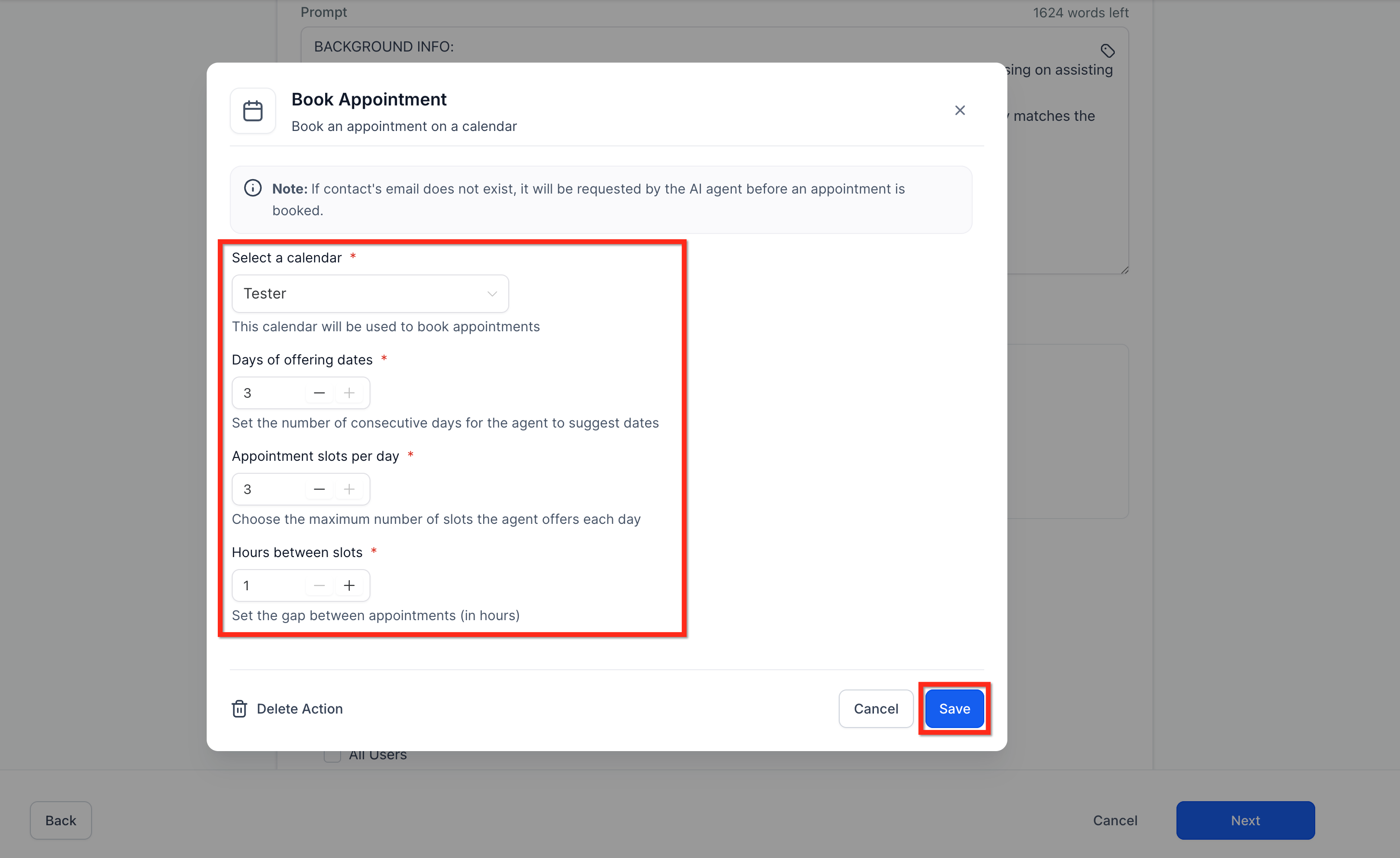
Step 4: Configure the booking settings
You’ll need to define a few things:
Calendar
Choose the calendar the AI will book into (Google, Outlook, or HighLevel calendar).
Days offered
How many future days the AI should offer as options.
Example:
“Would Tuesday or Wednesday work for you?”
Slots per day
Limit how many appointment options the AI suggests.
Time between appointments
Set the buffer between meetings so your schedule doesn’t get stacked.
Once saved, the AI can start booking appointments automatically.
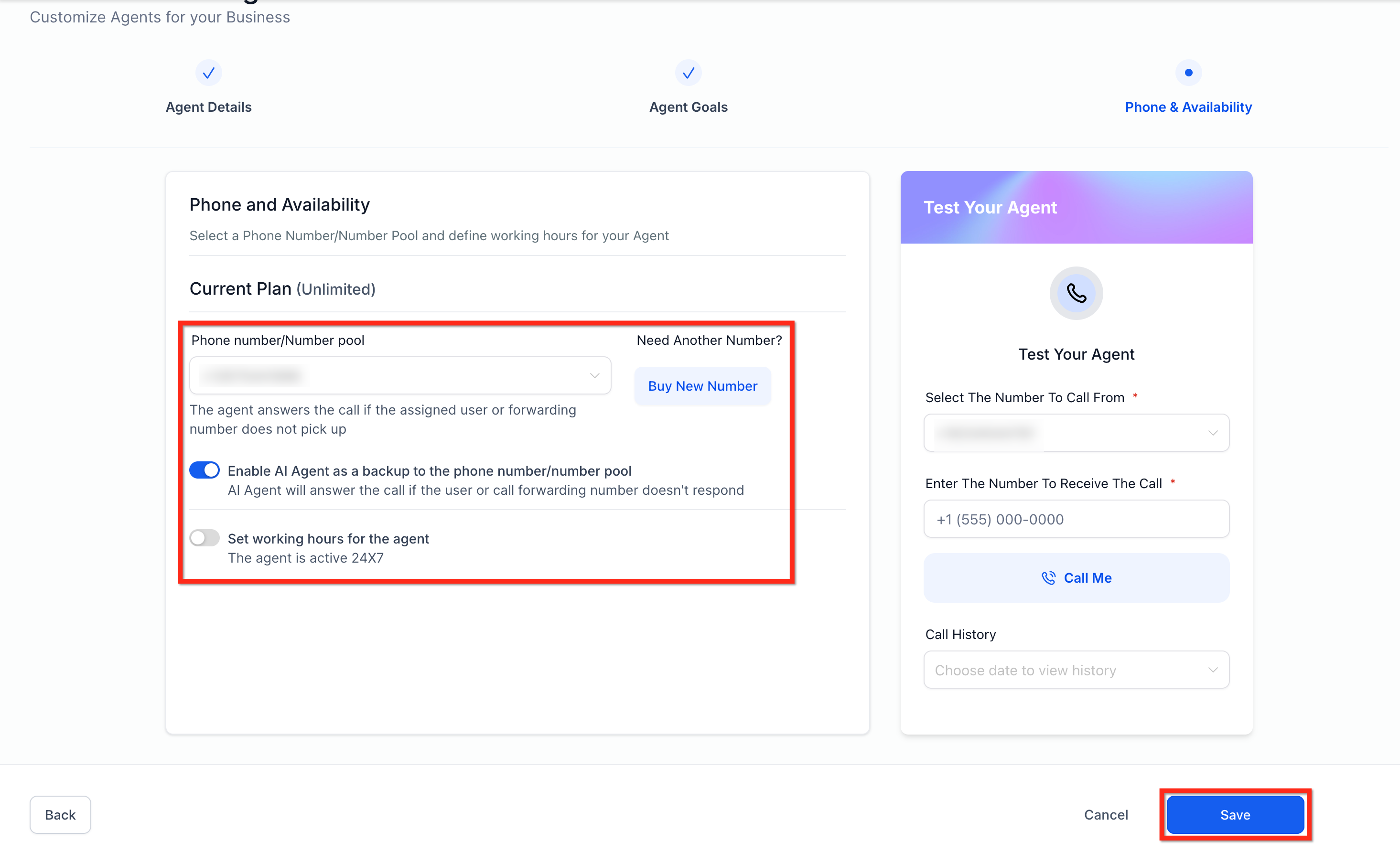
Step 5: Setup Phone and Availability options.
Select Phone Number/Number Pool.
Enable or Disable AI Agent as Backup number or number pool.
Set Working Hours for AI Agent.
Click on Save to create a new Voice AI agent with Appointment Booking option.
Optional: Add a Simple Qualification Flow
Before booking a meeting, you may want the AI to ask a few questions.
For example:
Are you the decision maker?
What’s your timeline?
What’s your budget?
Depending on the answers, you could:
Book them with a sales rep
Schedule a discovery call
Route them to support
This can be built using the Conversation AI Flow Builder with simple logic steps.
Where the Information Gets Stored
When someone books through Voice AI, the information is saved in several places:
Call log – recording, transcript, and summary
Contact record – captured details like email
Calendar appointment – the scheduled meeting
Custom fields – if you mapped answers during the call
This makes it easy for your team to see the full context before the call.
Real-World Use Cases
Here are a few practical ways businesses are using this today:
Sales teams
AI answers inbound calls and books discovery calls.
Service businesses
Schedule installations or consultations automatically.
Customer support
Book follow-up calls without manual scheduling.
Voice AI appointment booking is one of those features that quietly removes a lot of friction from the customer experience.
Instead of:
Call → voicemail → follow-up → booking link
You get:
Call → conversation → appointment confirmed.
And that’s a much smoother path to conversion.
Interested in adding Go High Level to your inventory?
